
Free Instagram profile analyzer for any public account
Yours or anyone's: rank the reels by views, spot outliers, find the best posting times, export to CSV.

370,000+ reels analyzed on IShortNo Instagram passwordFree: 500 reels + 10 AI transcripts
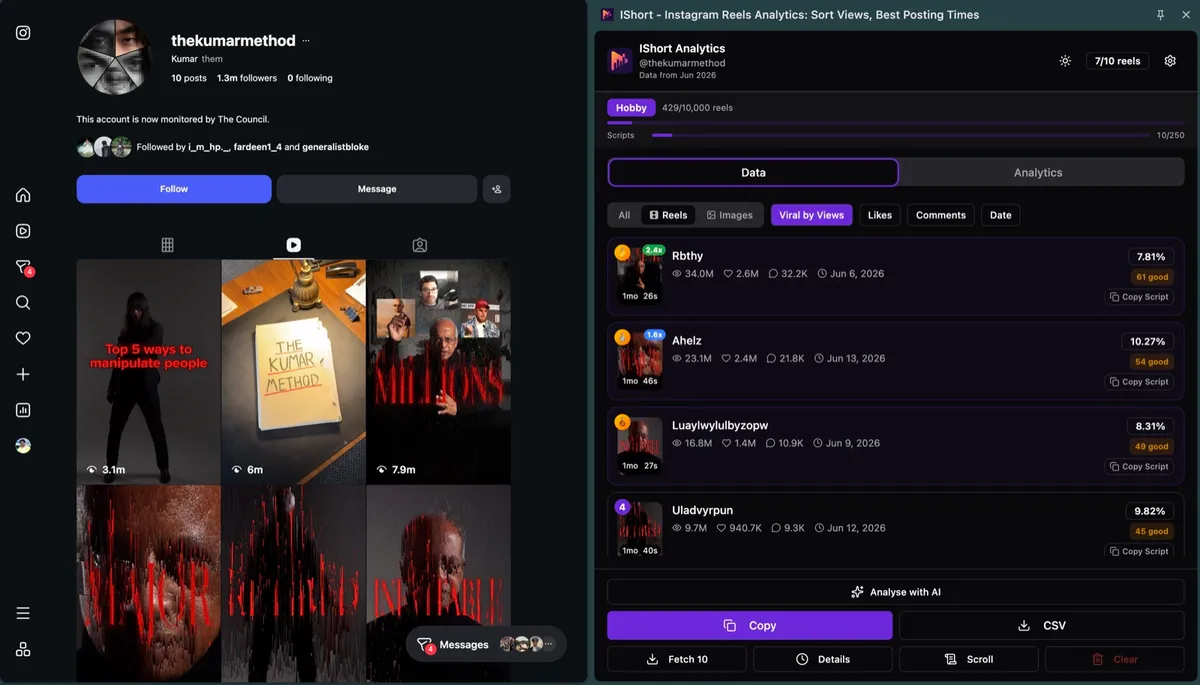
What does this Instagram profile analyzer show?
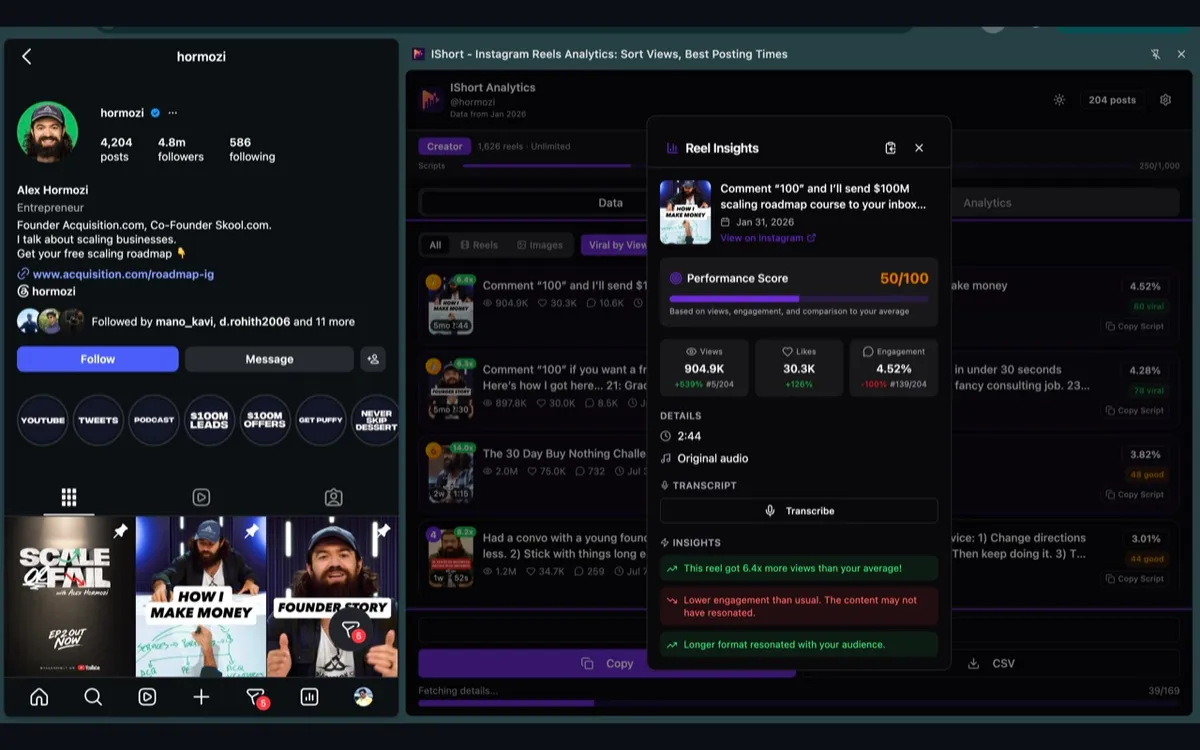
Ranked reels, plus why they worked.
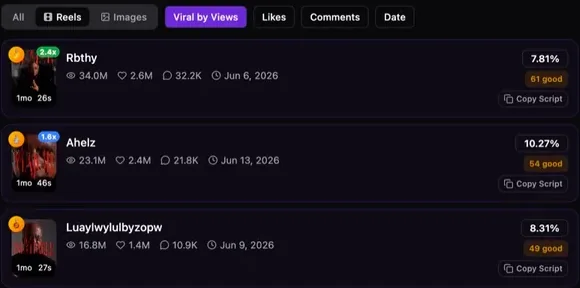
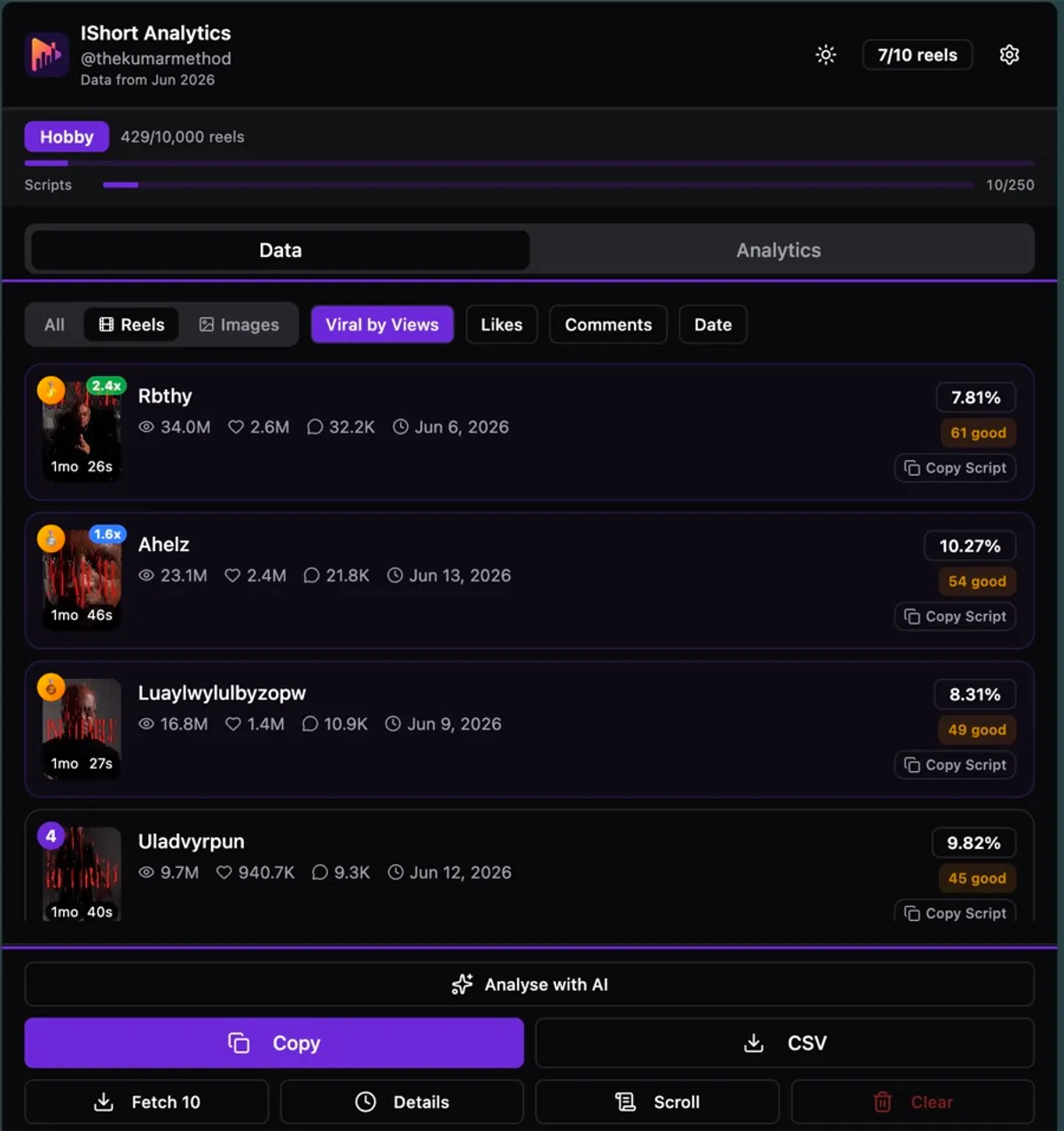
Top reels, ranked
Sort by Views, Viral Score (0-100), Likes, Comments or Date. An "x avg" badge flags reels that beat the account's own average.
Find viral reels in a niche →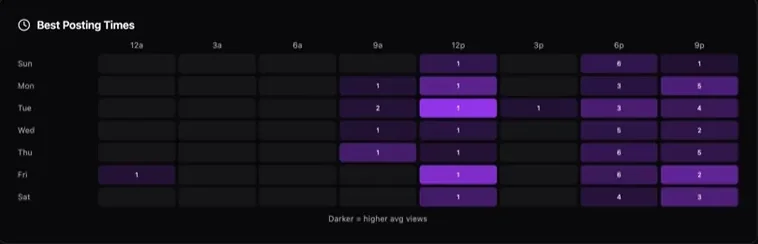
Best time to post
A heatmap of average views by day and hour, built from the account's own reels.
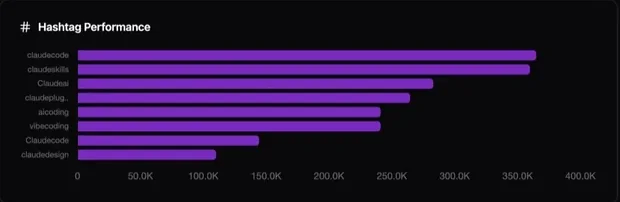
Hashtags that bring views
The account's hashtags, ranked by the views they bring.
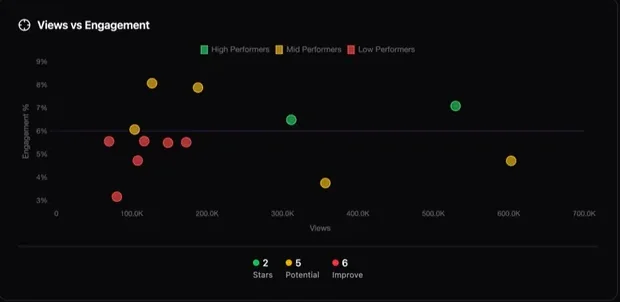
Views vs engagement
Engagement % per reel, plotted against views, so the stars and the weak reels stand out.
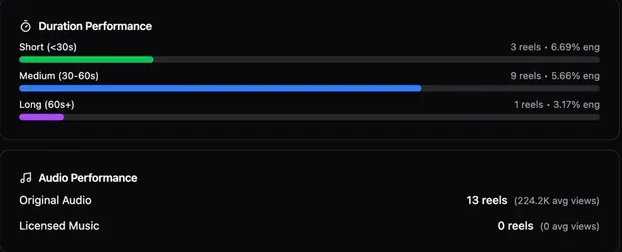
Length and audio
Engagement by reel length, plus original audio vs licensed music.
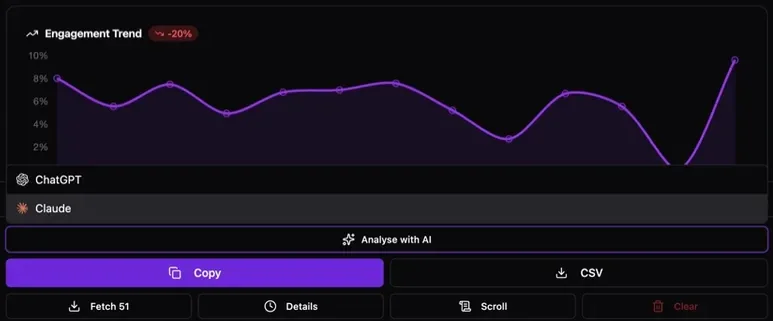
Export, or ask AI
Download a CSV or copy to Google Sheets. Analyse with AI sends the sorted reels to ChatGPT or Claude.
See every export column →How do you analyze an Instagram profile?
Three steps, online in your own browser.

Open the profile's Reels
Type a username above, or open any public profile. IShort collects the reels as you scroll, or press Scroll.
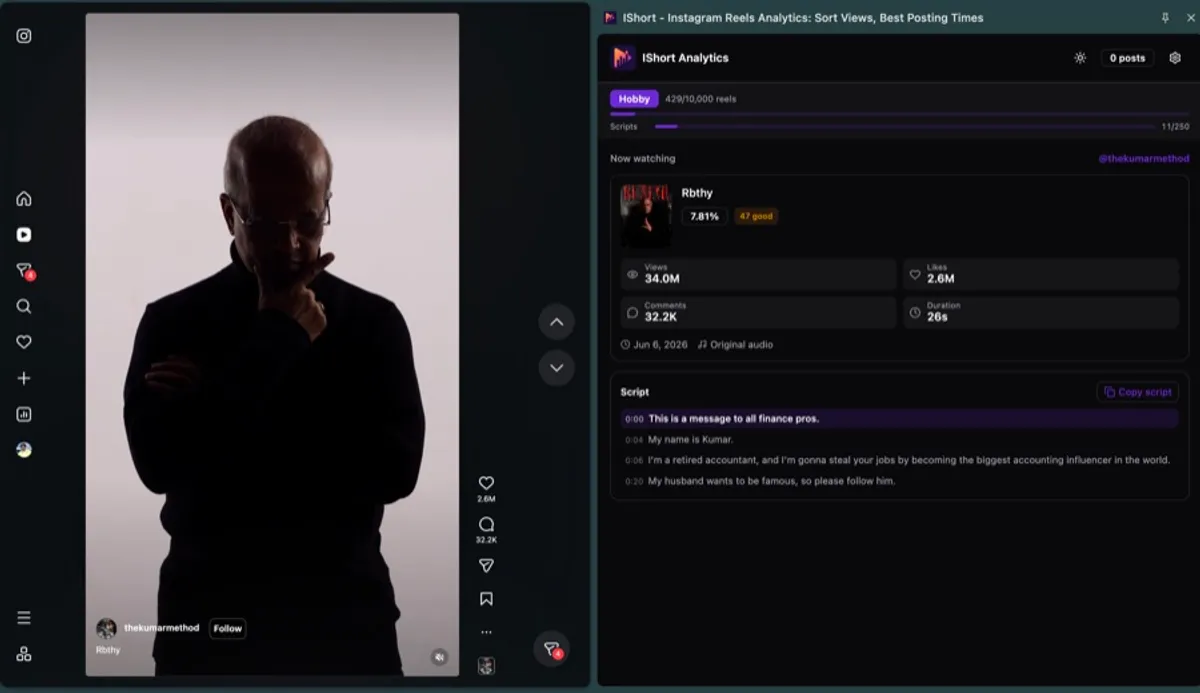
Rank, analyze, export
Sort by views or Viral Score, open Analytics, then export or ask AI.
Is it safe for my Instagram account?
No password. Public numbers only.
The public numbers on each reel
- No password. IShort never asks for your Instagram password.
- Read-only. It never posts, likes, follows or messages.
- Your own browser. You use Instagram as normal; IShort reads the public numbers on the pages you open.
| Numbers | Views, likes, comments, engagement % |
|---|---|
| Scores | Viral Score (0-100), "x avg" vs the account's average |
| Details | Duration, date, caption, hashtags, music |
| Sometimes | Shares and saves, when Instagram shows them |
What can't the profile analyzer see?
Reel-level data only.
No follower data
No follower counts, follower growth or follower lists. Reel-level data only.
Accounts you can see
Any public profile, plus private accounts you already follow. IShort never gets around privacy settings.
No comments, DMs or stories
It doesn't read comment text, DMs, stories or hashtag search results.
Instagram only
No TikTok, YouTube or Facebook.
Is the Instagram account analyzer free?
Yes, to start. Paid plans are monthly.
Free
Every analytics feature
one-time allowance
- 500 reels analyzed (one-time)
- 10 AI reel transcripts (one-time)
- Viral Score, heatmap, hashtags, CSV
- Unlimited reel, photo and carousel downloads
Hobby
For growing creators
or ₹835 a month
- 10,000 reels / billing month
- 250 AI transcripts / billing month
- Track 5 competitors
- Compare up to 20 creators a month
Creator
For pros and agencies
or ₹2,520 a month
- Unlimited reels analyzed
- 1,000 AI transcripts / billing month
- Track 25 competitors
- Compare 100 creators a month
No free trial: the Free plan is the trial. No annual plan. Cancel anytime. Full IShort pricing →
Instagram profile analyzer FAQ
Do I have to share my Instagram password or login?
No. IShort never asks for your Instagram password. You use Instagram in your own browser as normal, and IShort reads the public numbers on the pages you open. It never posts, likes, follows or messages.
Is there a free Instagram profile analyzer?
Yes. IShort is a free Chrome and Edge extension that analyzes any public Instagram profile. The Free plan covers 500 reels and 10 AI transcripts (one-time) with every analytics feature: reels ranked by views, Viral Score, the posting-time heatmap, hashtags and CSV export.
Can I analyze someone else's Instagram profile?
Yes, if the account is public. It works the same on your own profile and on anyone else's: open their Reels tab and IShort collects the reels as you scroll, ready to sort. For a full rival audit, see how to analyze a competitor's Instagram reels.
Does it work on private accounts?
Only private accounts you already follow. IShort reads what Instagram already shows you in your own browser and never gets around Instagram's privacy settings.
Does it show followers?
No. IShort works at reel level: views, likes, comments, engagement %, duration, date, hashtags and music for each reel. It shows no follower counts, follower growth or follower lists.
Can AI analyze an Instagram profile?
Yes. Once IShort has ranked a profile's reels, Analyse with AI sends the sorted reels to ChatGPT or Claude, where you can ask what the top reels have in common.
Can I export an Instagram profile's data?
Yes, the reels. Download a CSV or copy to Google Sheets: URL, caption, type, views, likes, comments, duration, engagement %, date, hashtags and music for each reel. Shares and saves appear only when Instagram shows them.
Analyze your first profile free
Any public account, yours or anyone's. 500 reels + 10 AI transcripts free.
Add to Chrome, freeWorks on Chrome & Edge · Get it for Edge