

Quick answer: Instagram DM automation is allowed, but only through the official Instagram Messaging API and approved Meta Business Partners (such as ManyChat). Automated replies live inside a 24-hour window and are almost always user-initiated - a comment-to-DM trigger, a story reply, or a keyword. Blasting cold, unsolicited DMs risks action limits and bans. And to be clear up front: IShort does not send or automate DMs - it only covers the analytics side. Here is exactly what is allowed, which tools are legitimate, and how to automate without getting flagged.
What Instagram DM automation actually is
DM automation means using software to send or reply to Instagram direct messages automatically - a welcome message, an answer to a common question, a link someone asked for, or a follow-up after they comment on a post. Done well, it turns your inbox from a bottleneck into a 24/7 responder. Done badly, it looks like spam and puts your account at risk.
The single most important thing to understand: there is a compliant way and a non-compliant way. Compliant automation runs on Instagram's own Messaging API through partner platforms that Meta has approved. Non-compliant automation uses unofficial tools that log in as you and mass-message strangers - and that is what triggers Instagram's spam systems.
What Instagram allows (and what it does not)
Instagram publishes its own rules through the Instagram Messaging API documentation, and ManyChat maintains a plain-English summary in its Instagram DM automation rules guide. The core constraints are consistent across both:
| Rule | What it means in practice |
|---|---|
| 24-hour window | You can send automated messages within 24 hours of a user's last message or action. Outside it, you are limited to a few non-promotional message tags. |
| User-initiated | Conversations start with the user - a DM, a comment on your post, or a story reply - not with an outbound blast from you. |
| Professional account | You need a business or creator account linked to a Facebook Page to connect an approved tool. |
| Rate limits | The API caps how many messages you can send in a period. Compliant tools throttle automatically; unofficial ones ignore this and get flagged. |
| No unsolicited cold DMs | Mass-messaging people who never interacted with you is against the terms and is the fastest route to an action block. |
How compliant DM automation works: the triggers
Because conversations must be user-initiated, compliant automation is built around triggers - actions a user takes that open a 24-hour window you can respond in:
- Comment-to-DM. A user comments a keyword (say, "GUIDE") on your post or Reel, and the automation sends them the link or resource in a DM. This is the most popular compliant pattern.
- Story reply. Someone replies to your story or taps a sticker, and you send an automated follow-up.
- Keyword in DM. A user DMs a specific word and receives a menu, an FAQ answer, or a link.
- Welcome / ice-breaker. When a user opens your DM for the first time, they see quick-reply buttons that route them to the right answer.
- Conversation handoff. If the automation cannot help, it hands the thread to a human before the 24-hour window closes.
The tools: Meta Business Partners
Several platforms are approved to run Instagram DM automation on the official API. We list them factually, not as endorsements or affiliate picks - evaluate each against your own needs and Instagram's current terms:
| Tool | Typical use |
|---|---|
| ManyChat | Widely used for comment-to-DM and keyword flows; publishes clear documentation on Instagram's rules. |
| Meta Business Suite | Meta's own free inbox with basic automated replies, FAQs, and away messages. |
| Other Meta partners | Platforms such as Chatfuel and similar API-based tools offer comparable comment-to-DM and inbox automation. |
The common thread: all of them connect through the official Messaging API. If a tool asks for your Instagram password instead of an API connection through Facebook, treat that as a red flag.
How to automate DMs without getting flagged
Stay on official tools
Use API-based Meta partners only. Avoid anything that logs in as you or promises unlimited cold DMs - that is what triggers spam detection.
Respect the 24-hour window
Reply to user actions, not to strangers. Keep promotional messages inside the window and hand off to a human when needed.
Sound human
Vary your copy, keep it genuinely helpful, and do not spam identical links. Automation should feel like a fast reply, not a robot.
Warm up slowly
Roll out automation gradually rather than blasting your whole audience on day one, and stay well under the API rate limits.
Where IShort fits (and where it does not)
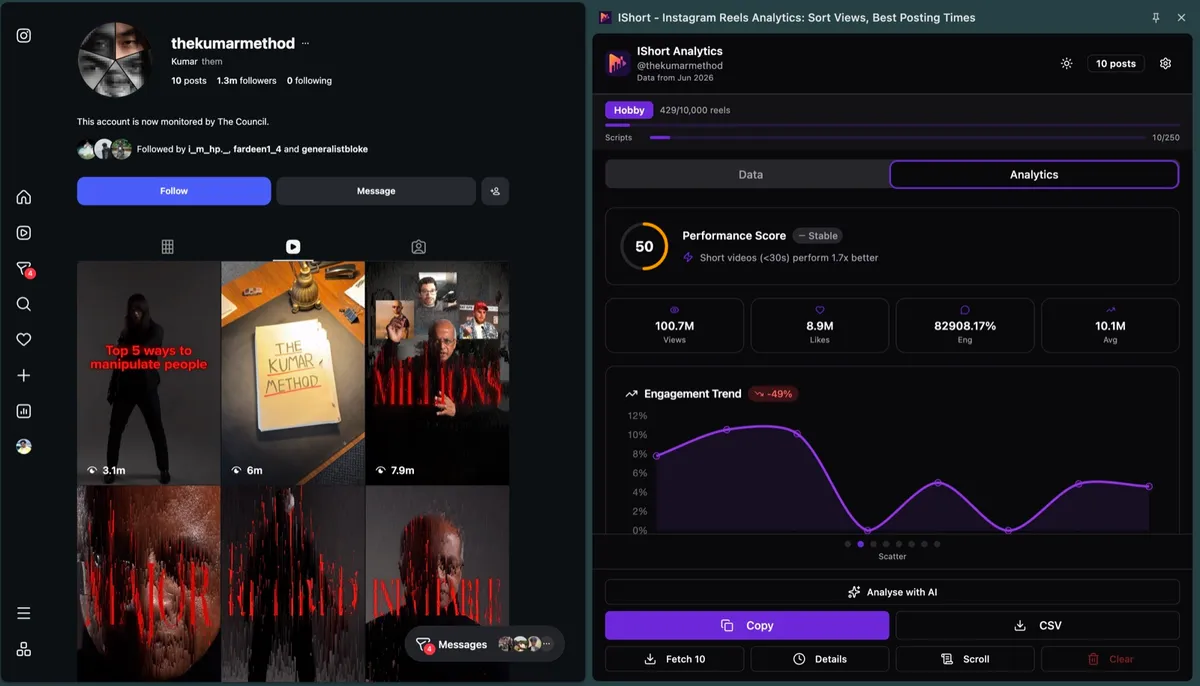
Let us be completely honest: IShort does not do DM automation. It does not send DMs, schedule DMs, or run comment-to-DM flows, and it never will pretend to. IShort only covers the analytics side - it helps you understand which Reels and posts actually drive saves, shares, and DMs, so your automated conversations are built around content people already want to talk about. For the automation itself, use Instagram's official Messaging API or an approved Meta Business Partner like the ones above. Think of it as a two-part stack: a compliant DM tool sends the messages, and IShort tells you what is worth messaging about. If you are curious how DMs and shares relate to reach, see our note on Reels sends per DM.
Know what drives your DMs before you automate them
IShort is a free Instagram Reels analytics extension - not a DM tool. Install it to see which content earns the saves, shares, and DMs worth building flows around. No login, no cost.
Add to Chrome - Free Add to Edge - FreeFinal thoughts
Instagram DM automation is a legitimate, powerful tool - as long as you play by the rules. Stay on the official Messaging API through an approved Meta partner, build around user-initiated triggers, respect the 24-hour window and rate limits, and keep your messages genuinely helpful. Skip the shady tools that promise unlimited cold DMs; they are the ones that get accounts banned. And remember the division of labor: a compliant partner tool handles the messaging, while a tool like IShort handles the analytics that tell you what to say.
Frequently Asked Questions
Is Instagram DM automation allowed?
Yes, but only through Instagram's official Messaging API and approved Meta Business Partners such as ManyChat. Automated replies must generally happen inside a 24-hour window after a user messages you or triggers a conversation, for example by commenting on a post or replying to a story. Mass-sending unsolicited cold DMs from a personal account is against Instagram's terms and is what usually gets accounts action-limited or banned.
What is the 24-hour rule for Instagram DMs?
The Messaging API lets your automation reply to a user within 24 hours of their last message or action. After that window you cannot freely send promotional messages; you are limited to a small set of allowed message tags for specific, non-promotional purposes. This is why compliant automation is built around user-initiated triggers rather than outbound blasts.
Do I need a business or creator account to automate DMs?
Yes. To connect a tool like ManyChat you need an Instagram professional account (business or creator) linked to a Facebook Page, because the automation runs on the official Instagram Messaging API. A plain personal account cannot be connected to a compliant DM automation platform.
Can automated DMs get my account banned?
Automation that stays inside the API rules and the 24-hour window is low risk. What gets accounts flagged is bot-like behavior: sending large volumes of unsolicited DMs, using unofficial third-party apps that log in as you, repeating identical messages, or blasting links. Stay on official partner tools, keep messages helpful, and respect Instagram's rate limits.
Does IShort automate or send Instagram DMs?
No. IShort is a free Instagram Reels analytics extension and does not send, schedule, or automate direct messages. It only helps on the analytics side, showing which content drives saves, shares, and DMs so you know what to talk about. For the automation itself, use Instagram's official Messaging API or an approved Meta Business Partner.