
Free Instagram scraper for any public profile
IShort collects a profile’s reels as you scroll, then exports them to CSV or Google Sheets.

370,000+ reels analyzed on IShortNo Instagram passwordNo code
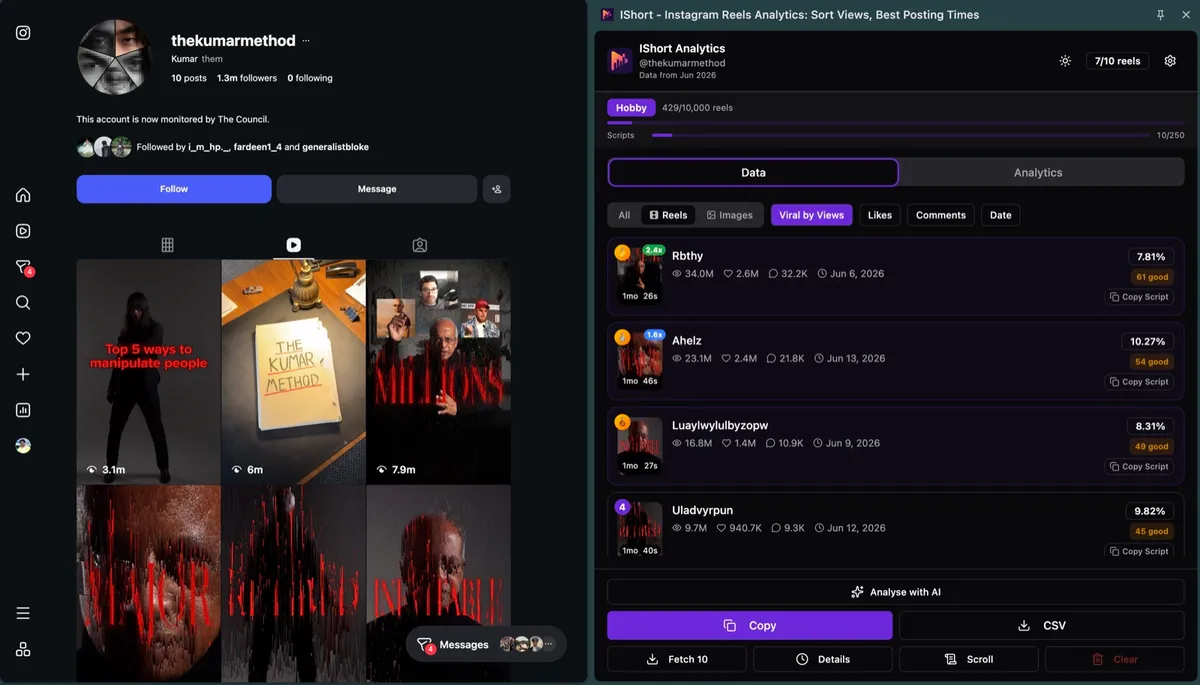
What data does this Instagram scraper export?
One row per post, for Sheets or CSV.
| Column | What’s in it |
|---|---|
| URL | Link to the reel, photo or carousel |
| Caption | First 100 characters (200 in the CSV file) |
| Type | reel, image or carousel |
| Views | View count |
| Likes | Like count |
| Comments | Number of comments, not the comment text |
| Shares, Saves | Only when Instagram shows them (often empty, so the columns are left out) |
| Duration | Length, for example 1:05 or 26s |
| Engagement % | Likes plus comments, as a % of views |
| Date | Day posted, for example Jun 6, 2026 (no time) |
| Hashtags | The post's hashtags |
| Music | Song or audio name |
| Transcript | Only for reels you transcribed with AI |
Checked in IShort 2.4.4 on 30 Oct 2026. There’s no creator-handle column: the CSV file is named reels_<handle>_….csv, so keep one profile per file or Sheets tab. Step by step: export Instagram reels data to CSV.
How do you scrape an Instagram profile?
Three steps. No code, no password.
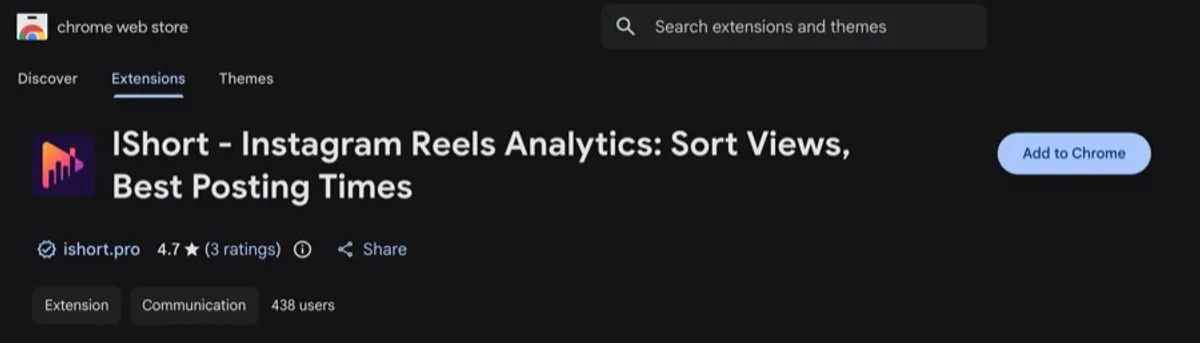
Open a profile’s Reels
Go to instagram.com/handle/reels/ and press Scroll. IShort reads each reel as it loads.
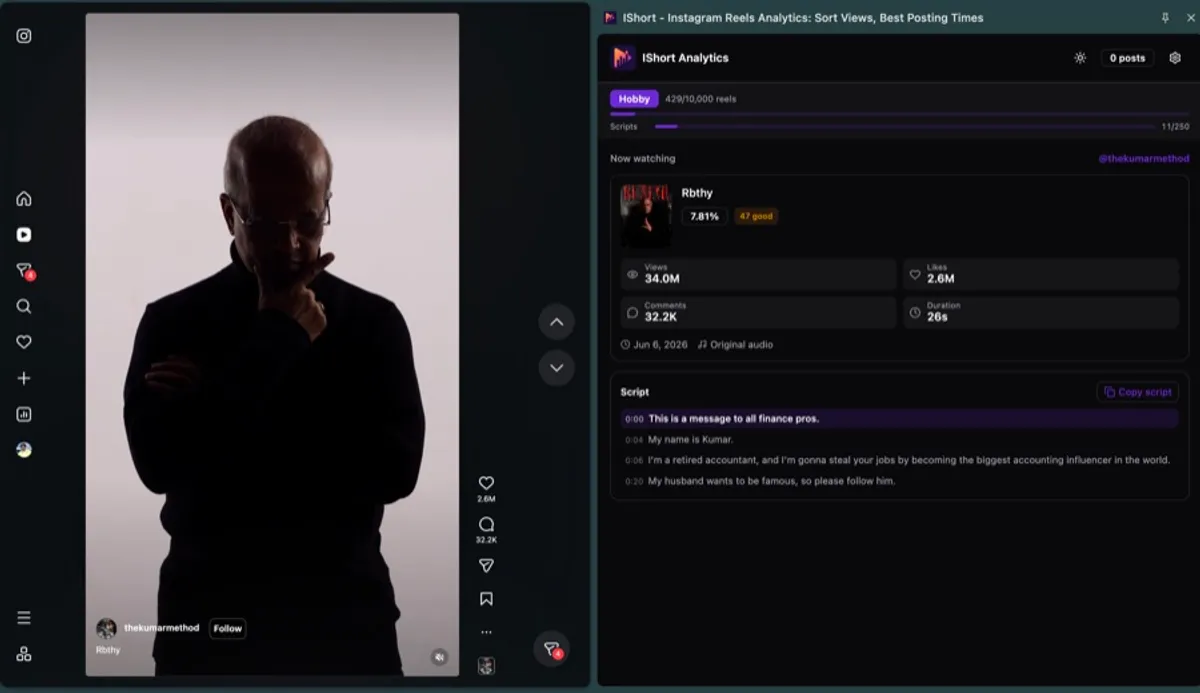
Click Copy or CSV
Paste into Google Sheets or open the CSV. Rows follow your sort.
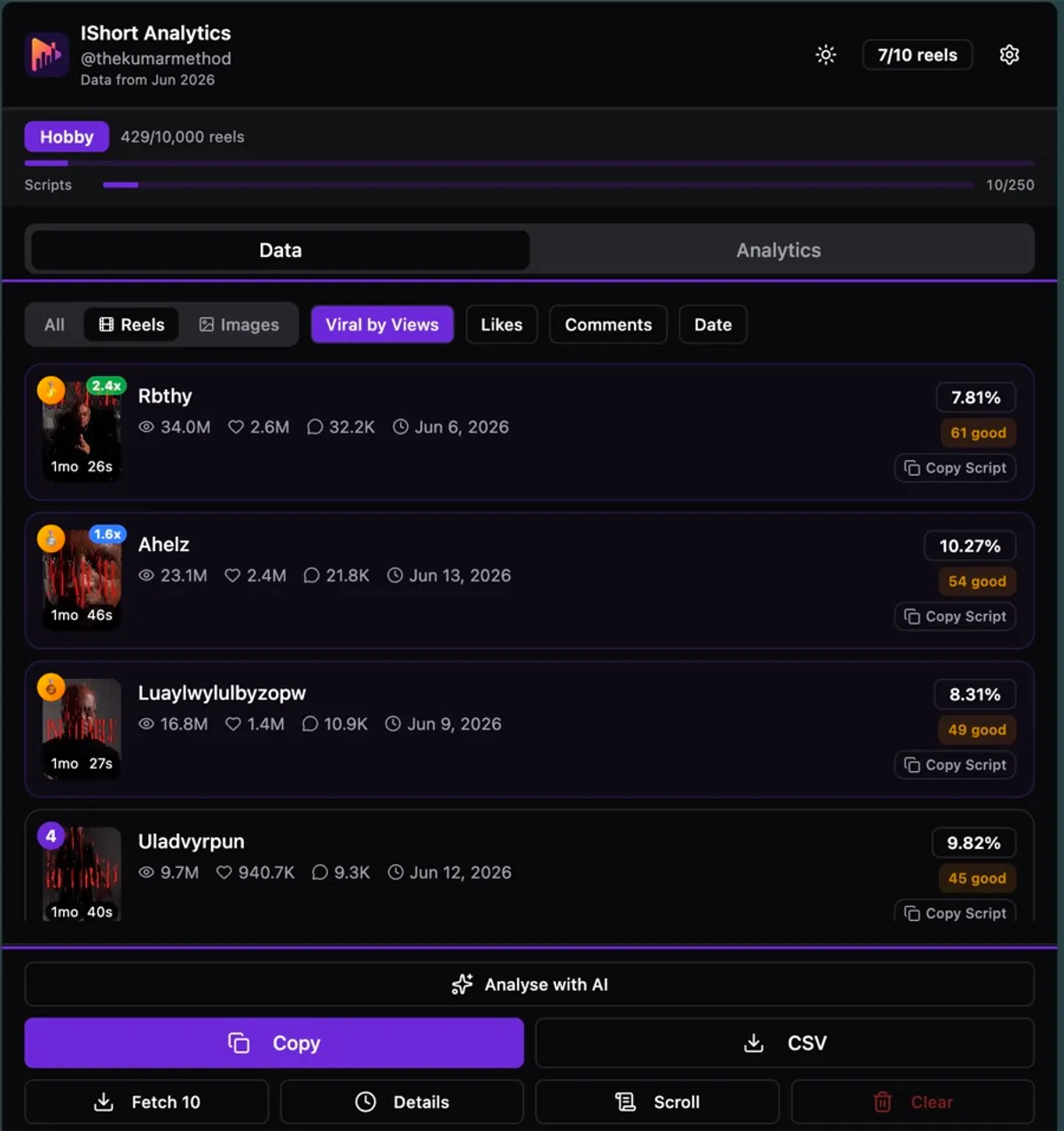
What else can you scrape and save?
Media, rankings and scripts, too.
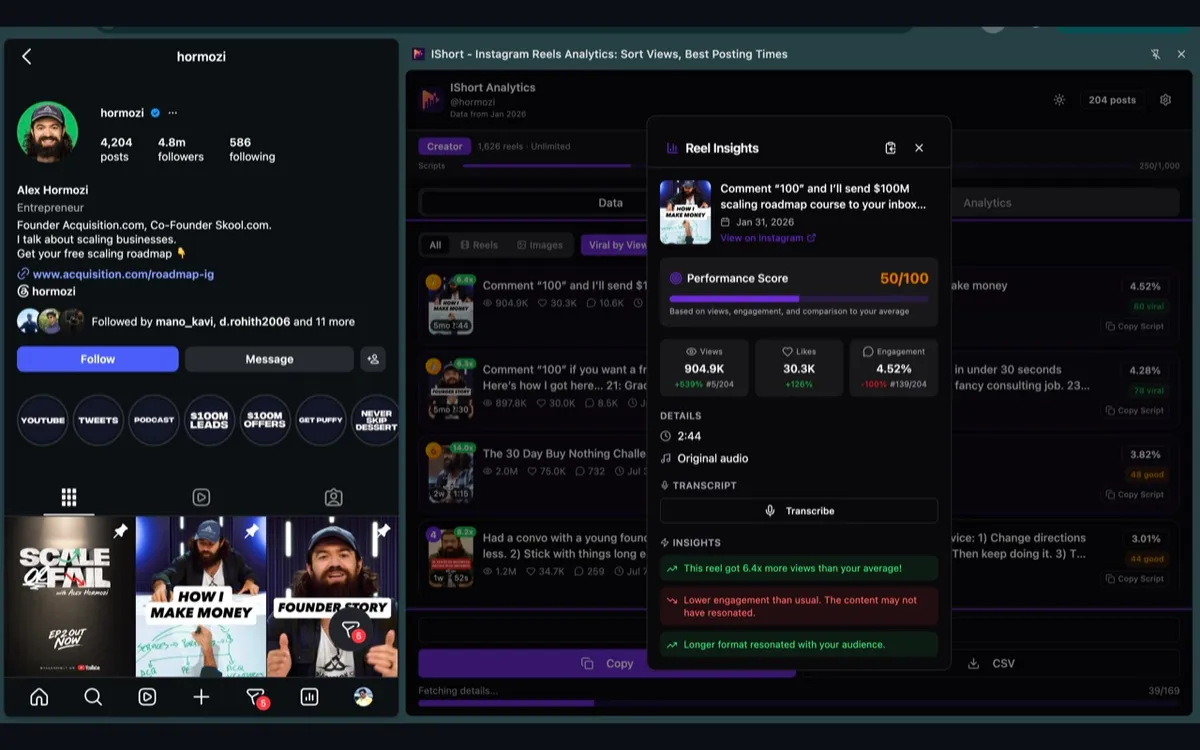
Download every reel, photo and carousel
Free and unlimited on every plan.
- Download all media saves the whole list
- Files save in your sort order
- Reels, photos and every carousel slide
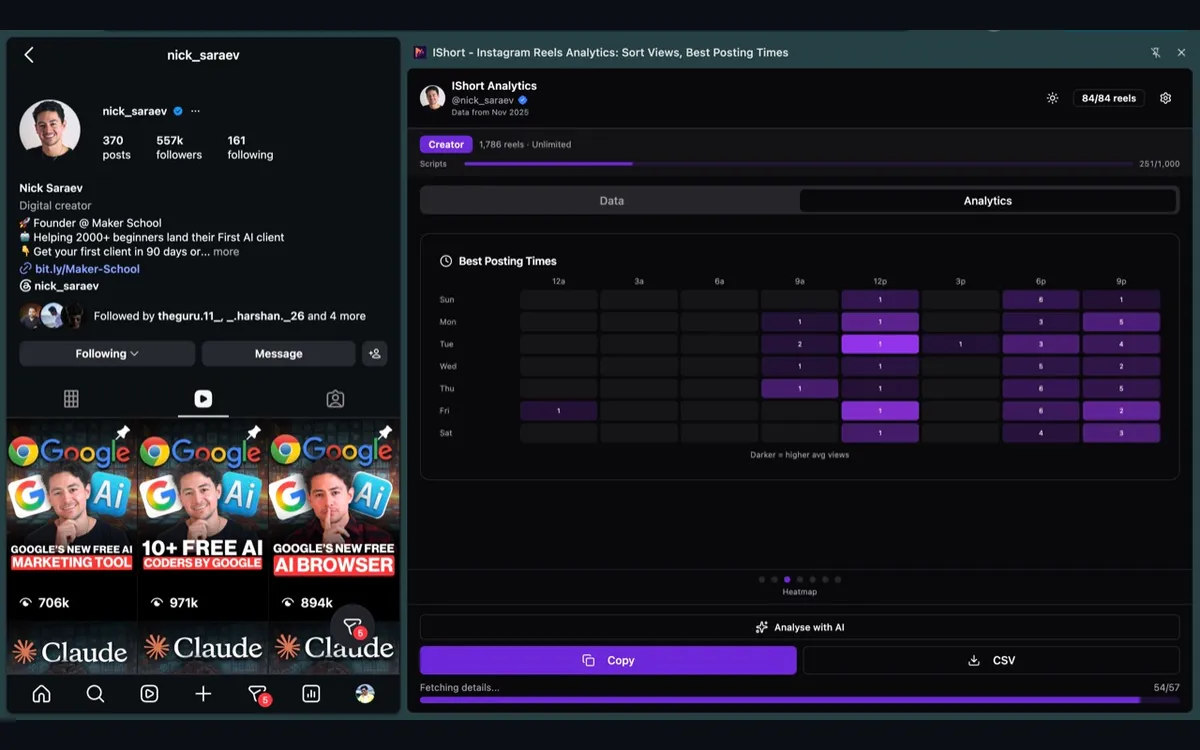
Rank the rows before you export
The export keeps the order you pick.
- Sort by Views, Viral Score, Likes, Comments or Date
- An “x avg” badge flags outlier reels
- Posting-time heatmap, hashtags, duration and audio
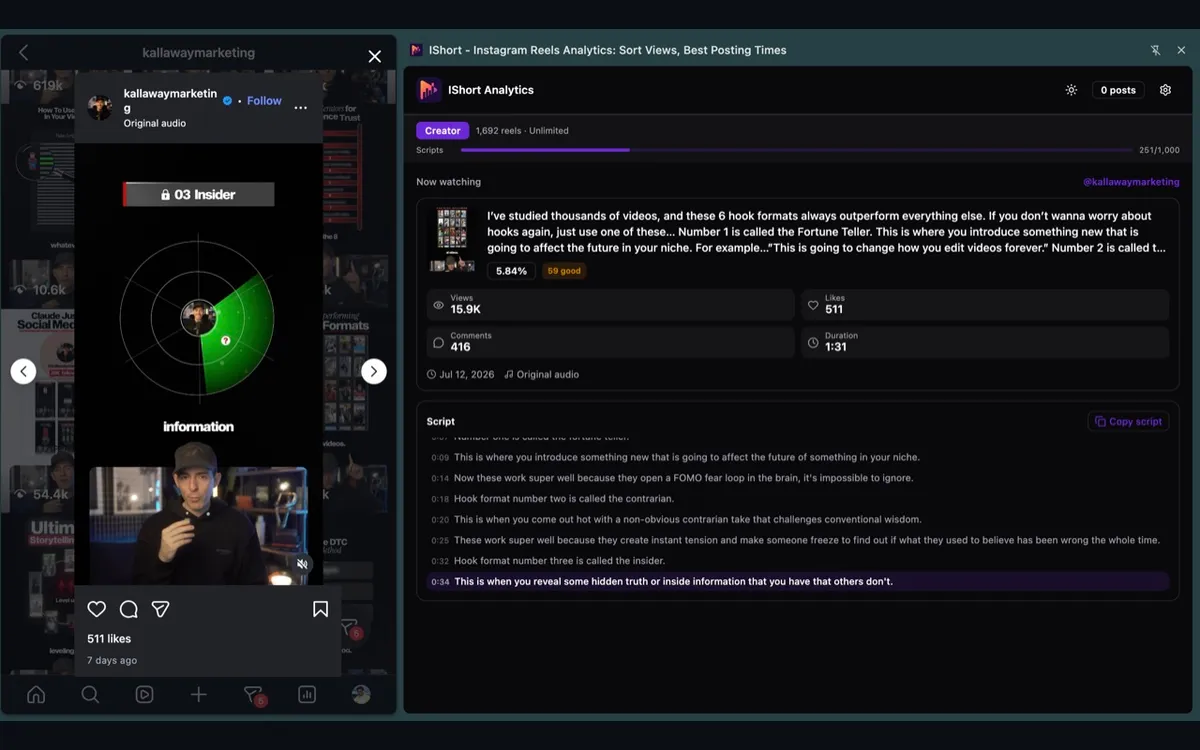
Add the script to each row
Click Transcribe on a reel. A Transcript column joins the export.
- 10 free, then 250 or 1,000 a month
- A reel someone already transcribed comes back free
- Copy any script with one click
What can’t this Instagram scraper collect?
Honest limits, before you install.
Followers
No follower counts, follower growth or follower lists.
Comment text
You get each post's comment count, not the comments.
DMs
IShort doesn't read messages and never sends any.
Stories
Stories aren't collected or exported.
Private accounts you don't follow
IShort sees only what Instagram already shows you. It never gets around privacy settings.
Hashtag and Explore search
It works profile by profile, not on search results.
Is it safe for my Instagram account?
It reads what you already see.
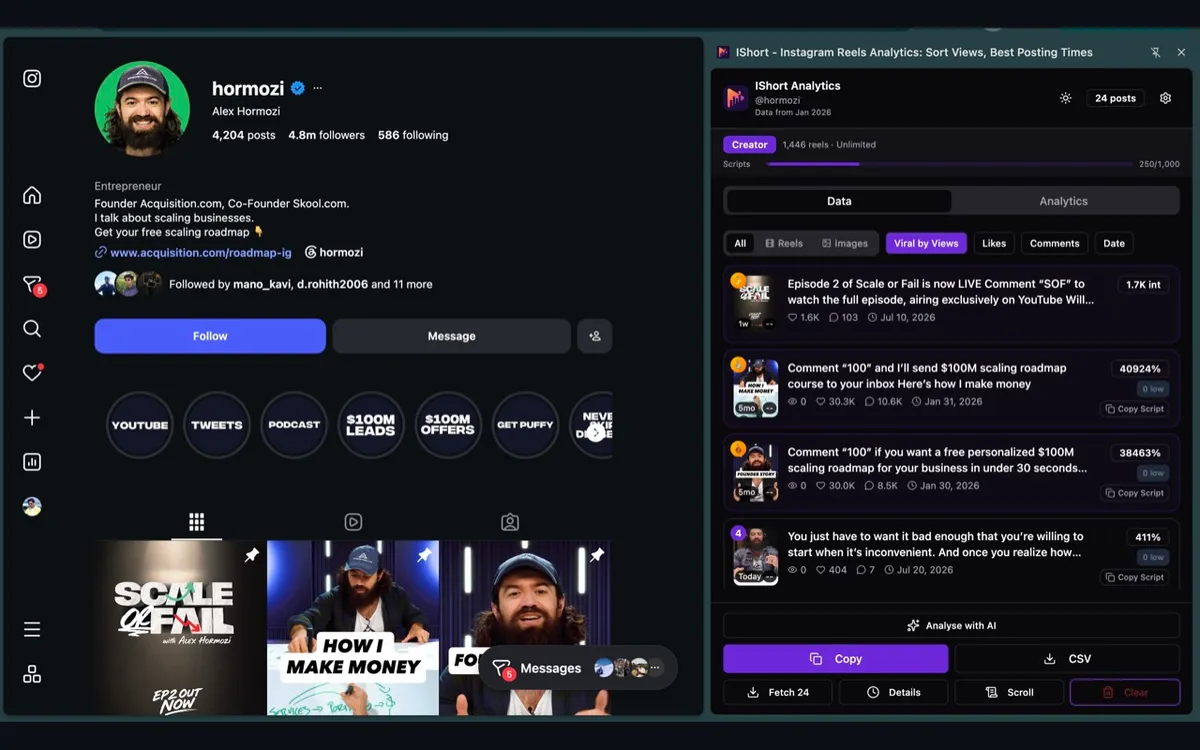
IShort reads the pages you open
You use Instagram as normal. IShort reads the public numbers on screen.
- Never asks for your Instagram password
- Never posts, likes, follows or messages
- No proxies, scripts or code to run
Use it for public data only, and respect people’s privacy and Instagram’s terms.
Is there an Instagram scraper API?
Collect in the extension, read from code.
REST API
https://ishort.pro/api/v1
Bearer API keys from your IShort dashboard. Transcribe a reel, get a reel’s details from its URL, search your scripts.
Read the API docs →MCP server
https://ishort.pro/mcp
Connect Claude to your IShort scripts and competitor reports. Free on every plan.
Set up the Instagram MCP →Is this Instagram scraper free?
Start free. Pay only for volume.
Free
Every feature, to start
one-time allowance
- 500 reels analyzed (one-time)
- 10 AI transcripts (one-time)
- CSV and Google Sheets export
- Unlimited downloads
Copy and CSV lock once the 500 reels are used.
Try it freeHobby
For regular research
or ₹835 a month
- 10,000 reels / billing month
- 250 AI transcripts / billing month
- Track 5 competitors
- Compare up to 20 creators a month
Creator
For heavy scraping
or ₹2,520 a month
- Unlimited reels analyzed
- 1,000 AI transcripts / billing month
- Track 25 competitors
- Compare up to 100 creators a month
Monthly only, cancel anytime. No free trial: the Free plan is the trial. Full pricing →
Instagram scraper FAQ
Do I need to give my Instagram password?
No. IShort never asks for your Instagram password, and it never posts, likes, follows or messages. You use Instagram in your own browser as normal, and IShort reads the public numbers on the pages you open.
Is there a free Instagram scraper?
Yes. IShort is a free Chrome extension, also on Microsoft Edge. The Free plan covers 500 reels and 10 AI transcripts (one-time) with CSV and Google Sheets export, every analytics feature and unlimited downloads of reels, photos and carousels.
Can I scrape Instagram without coding?
Yes. Open a public profile's Reels tab, press Scroll in the IShort panel, then click Copy to paste into Google Sheets, or CSV to download a file. There are no scripts, proxies or API keys to set up.
What data can I export from an Instagram profile?
One row per post: URL, caption (first 100 characters, 200 in the CSV), type, views, likes, comments, duration, engagement %, date, hashtags and music. Shares and saves appear only when Instagram shows them, and a Transcript column appears for reels you transcribed. There is no creator-handle column.
Can it scrape Instagram followers or comments?
No. IShort shows no follower counts, follower growth or follower lists, and it doesn't read comment text, DMs, stories or hashtag and Explore search results. You get each post's comment count, not the comments.
Is IShort a Chrome extension or an API?
Both. The Chrome extension is the no-code scraper: it collects a profile's reels as you browse. Developers also get a REST API at https://ishort.pro/api/v1 with API keys, plus an MCP server for AI assistants.
Export your first profile free
500 reels free. No code, no Instagram password.
Add to Chrome, it’s freeWorks on Chrome & Edge · Get it for Edge