
Instagram stats checker for any public account
Views, likes, comments and engagement % for each reel of any public profile. Free, no password.

370,000+ reels analyzed on IShortNo Instagram passwordExport to CSV & Sheets
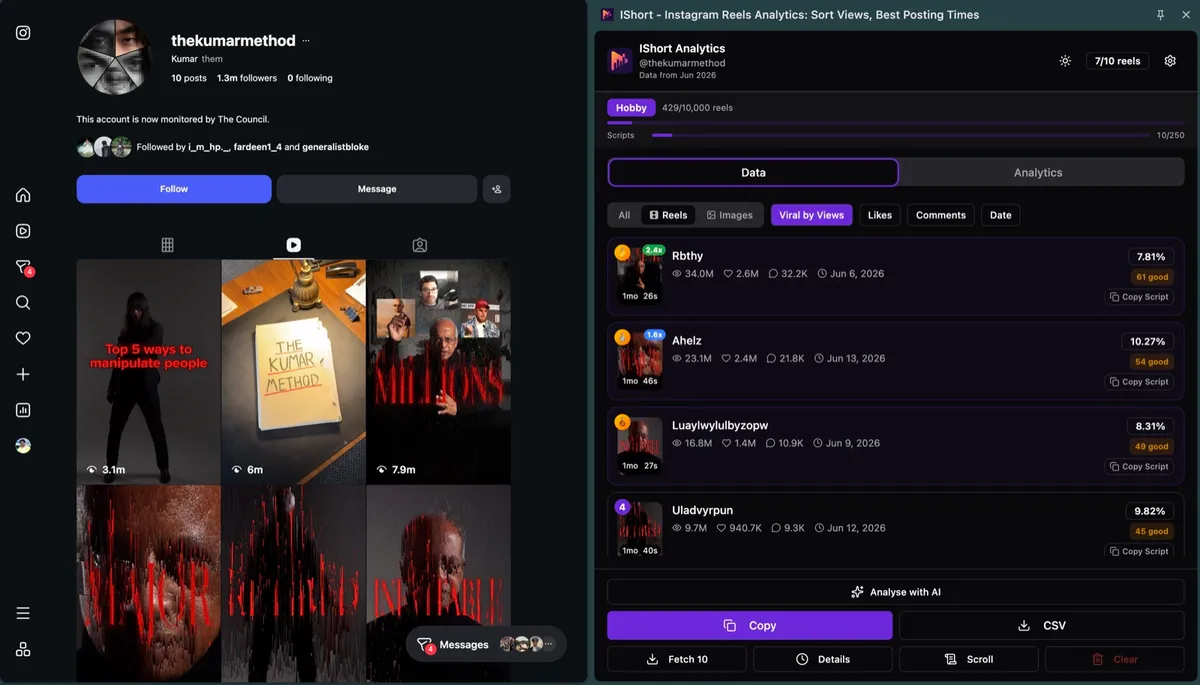
How do I see my own Instagram stats?
Instagram Insights, for accounts you own.
- Open your profile in the Instagram app.
- Tap Professional dashboard (or Your dashboard on a public personal account) for Insights.
- On a single reel, tap View insights.
Account insights cover the past 90 days, and only your own account. For accounts that aren't yours, use IShort.
Sources: Instagram Help Center, About Instagram dashboards and About Instagram insights, checked 30 Oct 2026.
| Stat | Instagram Insights | IShort |
|---|---|---|
| Whose stats | Only your own account | Any public account |
| Views per reel | Views and interactions | Views, likes, comments, engagement % |
| Reach and demographics | Yes | No |
| Followers | New followers | No, reel stats only |
| Time range | Past 90 days (account insights) | Every reel you scroll through |
Which Instagram stats can you see for other accounts?
Reel stats for any public account. No follower counts.
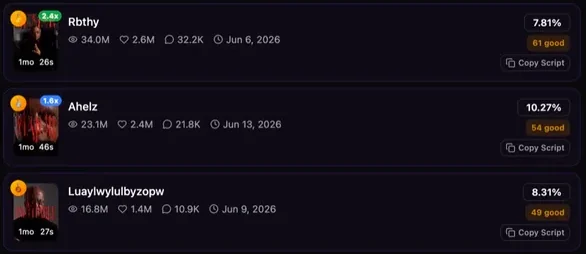
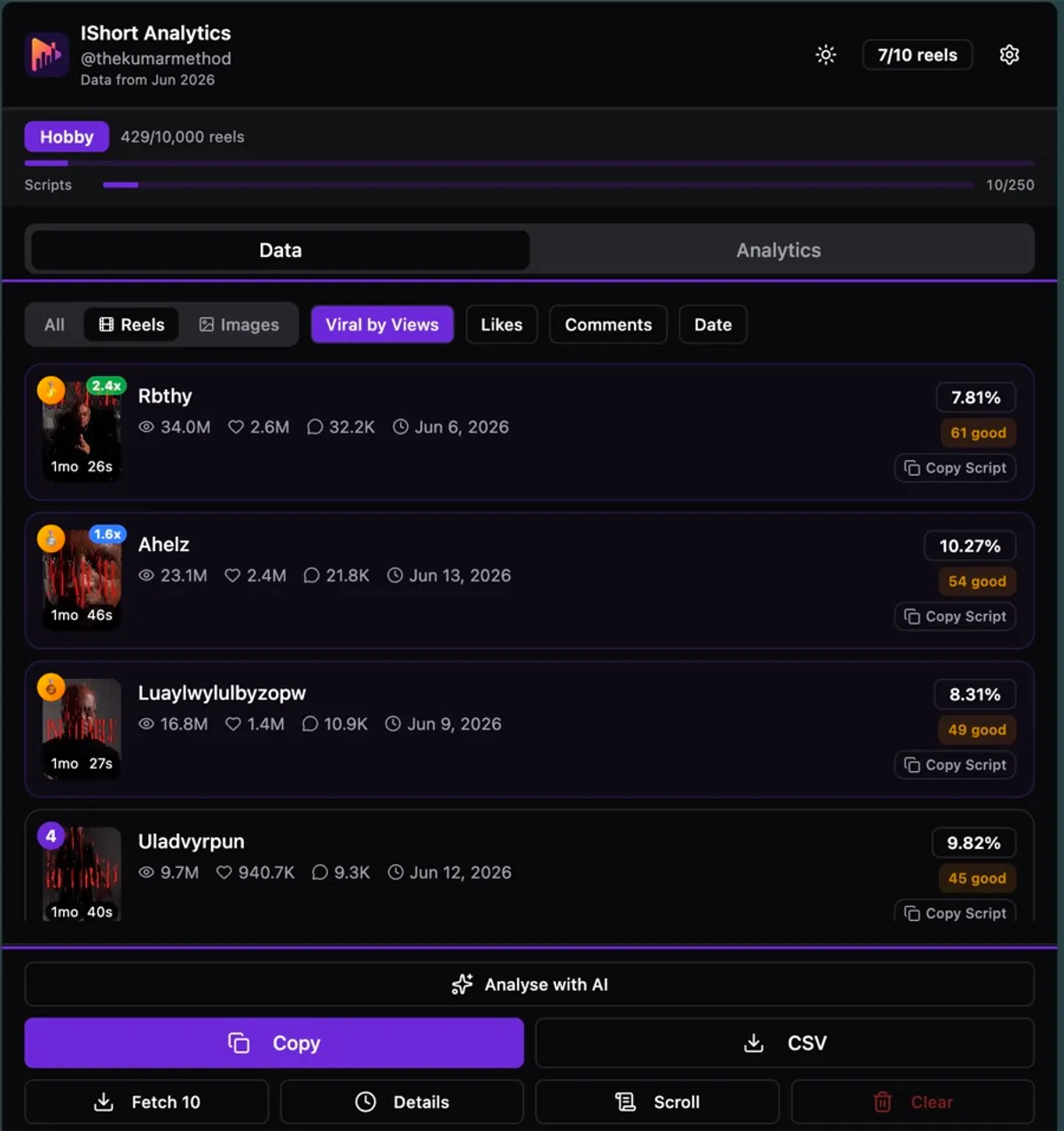
Views, likes and comments
For each reel, with its posting date and length.
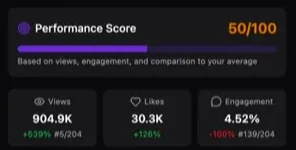
Engagement % per reel
Each reel compared with the account's own average.
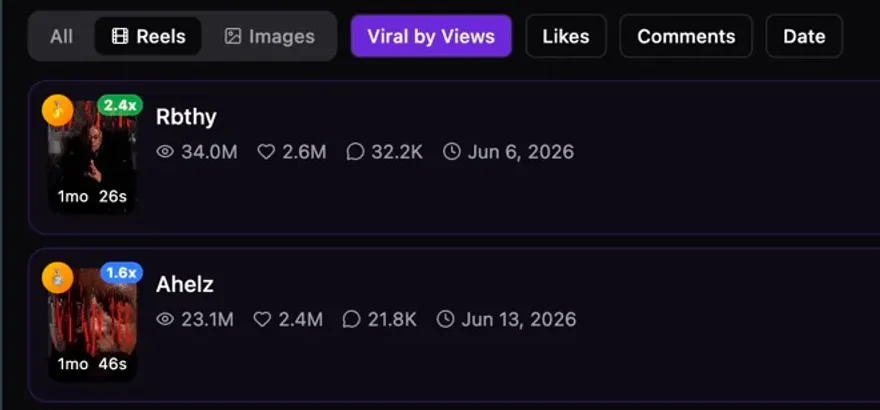
Best reels and outliers
Sort by views or Viral Score to find the most viewed reels. Badges like 2.4x flag outliers.
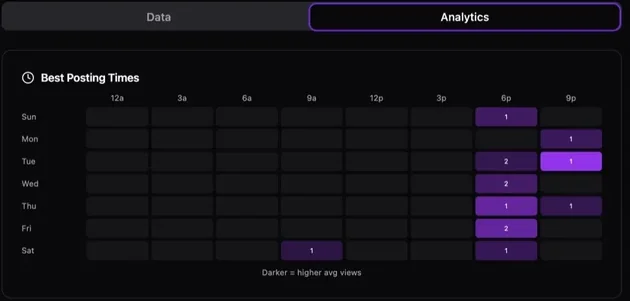
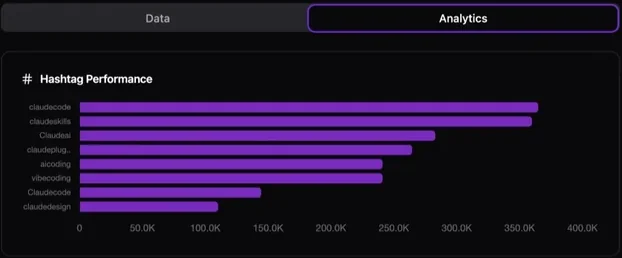
Hashtags ranked by views
Each hashtag ranked by the views it brings.
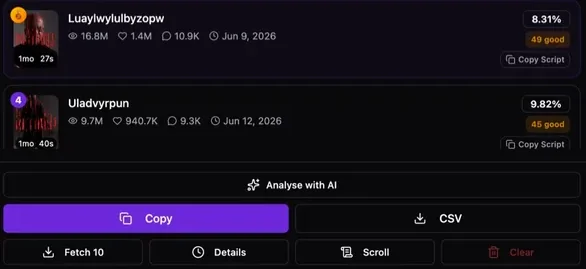
Export to CSV or Sheets
Download a CSV or copy it all for Google Sheets. See how to export Instagram reels data.
How to check Instagram stats in 3 steps
No Instagram password needed.

Open a public profile's Reels
Go to the account's Reels tab, or type its username in the box above.
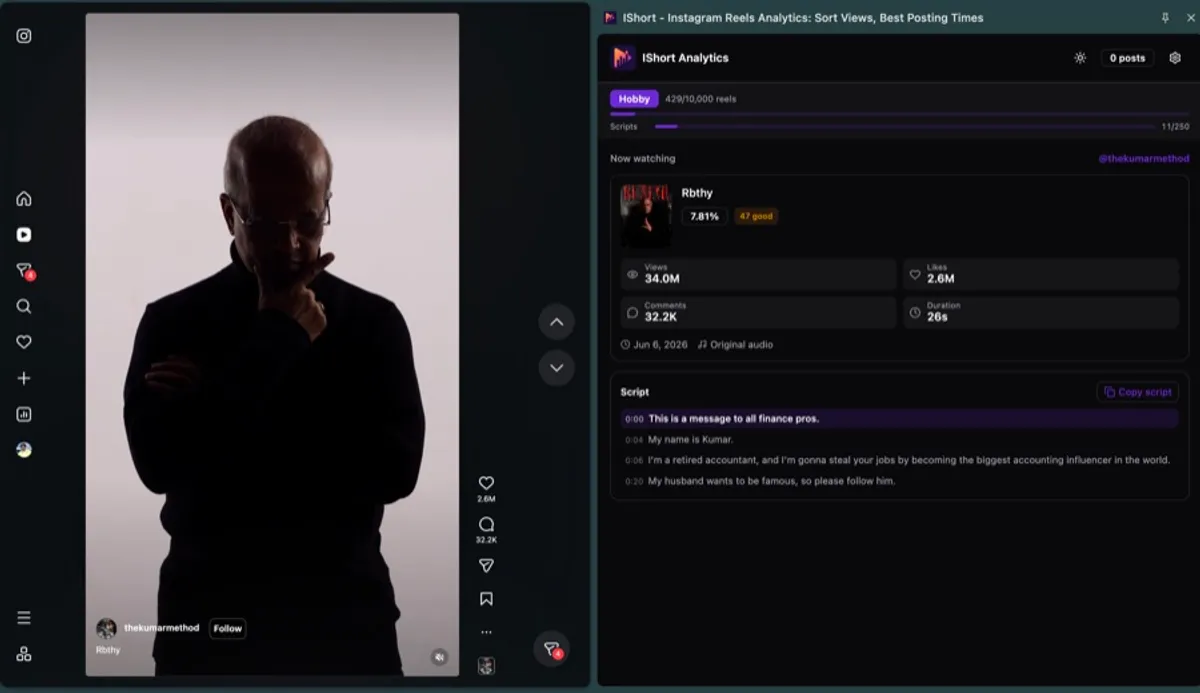
Press Scroll, then sort
Sort by Views, Viral Score, Likes, Comments or Date. Export to CSV.
What can't IShort show?
Know this before you install.
Follower counts or growth
IShort shows reel stats. The follower count is on the account's Instagram profile.
Private accounts
Only ones you already follow. IShort never gets around privacy settings.
Comments, DMs or stories
It reads public reel numbers, not comment text, messages or stories.
Shares and saves, mostly
Shown only when Instagram exposes them, so often empty.
Is this Instagram stats checker free?
Yes, to start. Upgrade for bulk research.
Free
Every stat, free to start
one-time allowance
- 500 reels analyzed (one-time)
- 10 AI transcripts (one-time)
- Every stat, chart and heatmap
- CSV and Google Sheets export
Hobby
For growing creators
or ₹835 a month
- 10,000 reels / billing month
- 250 AI transcripts / billing month
- Track 5 competitors
- Compare up to 20 creators a month
Creator
For pros and agencies
or ₹2,520 a month
- Unlimited reels analyzed
- 1,000 AI transcripts / billing month
- Track 25 competitors
- Compare 100 creators a month
Monthly only, no annual plan. Cancel anytime. See full IShort pricing →
Instagram stats checker FAQ
Do I have to share my Instagram password or login?
No. IShort never asks for your Instagram password, and it never posts, likes, follows or messages. You use Instagram in your own browser as normal, and IShort reads the public numbers on the pages you open.
How can I check someone's Instagram stats?
Install IShort, open their public profile or its Reels tab on instagram.com, then click the IShort icon and press Scroll. IShort lists each reel with its views, likes, comments, engagement % and date, and you can sort by Views, Viral Score, Likes, Comments or Date.
Is there a free Instagram stats checker?
Yes. IShort is free to install, and the Free plan includes 500 reels analyzed and 10 AI transcripts (one-time) with every analytics feature, including the posting-time heatmap and hashtag stats. Hobby ($10 a month) and Creator ($29 a month) raise the limits.
Can I see an account's follower growth?
No. IShort shows reel stats, not follower counts, follower growth history or follower lists. An account's current follower count is on its Instagram profile.
Does it work on private accounts?
Only private accounts you already follow. IShort reads what Instagram already shows you and never gets around its privacy settings. It doesn't read comment text, DMs or stories.
Can I export Instagram stats to Excel or Google Sheets?
Yes. Download a CSV, which opens in Excel, or press Copy and paste into Google Sheets. Columns include URL, caption, type, views, likes, comments, duration, engagement %, date, hashtags and music. On the Free plan, export works until you pass the free limit.
Does IShort show TikTok or YouTube stats?
No. IShort is built only for Instagram.
Check an account's reel stats, free
500 reels free. No Instagram password.
Add to Chrome, freeWorks on Chrome & Edge · Get it for Edge