
Quick answer: IShort Link in Bio is a free page at ishort.pro/you where creators put every link that matters — latest video, all their socials, and any shop or collab URL — and see exactly which ones their followers click. No plan gating, no fees skimmed from your income.
As a creator, you're everywhere: a new video on YouTube, a Reel on Instagram, a clip on TikTok, maybe a newsletter or a Discord. But every one of those profiles gives you a single clickable bio link. That's the problem a link-in-bio page solves — one short URL that opens a tidy page holding all your links, so you never have to choose which one to feature this week.
IShort Link in Bio is built for that job, and it's completely free. You get up to 20 links, five social icons, custom themes, a QR code, and — the part most creators care about — free per-link click analytics so you can stop guessing what your audience actually taps.
Create your free link in bio
Claim your ishort.pro/you page in under a minute — free, with click analytics built in.
Get your free page →What creators put on their bio page
The best creator bio pages aren't a dumping ground of every URL you own — they're a short, ordered list that sends followers to whatever you want them doing right now. A few patterns that work well:
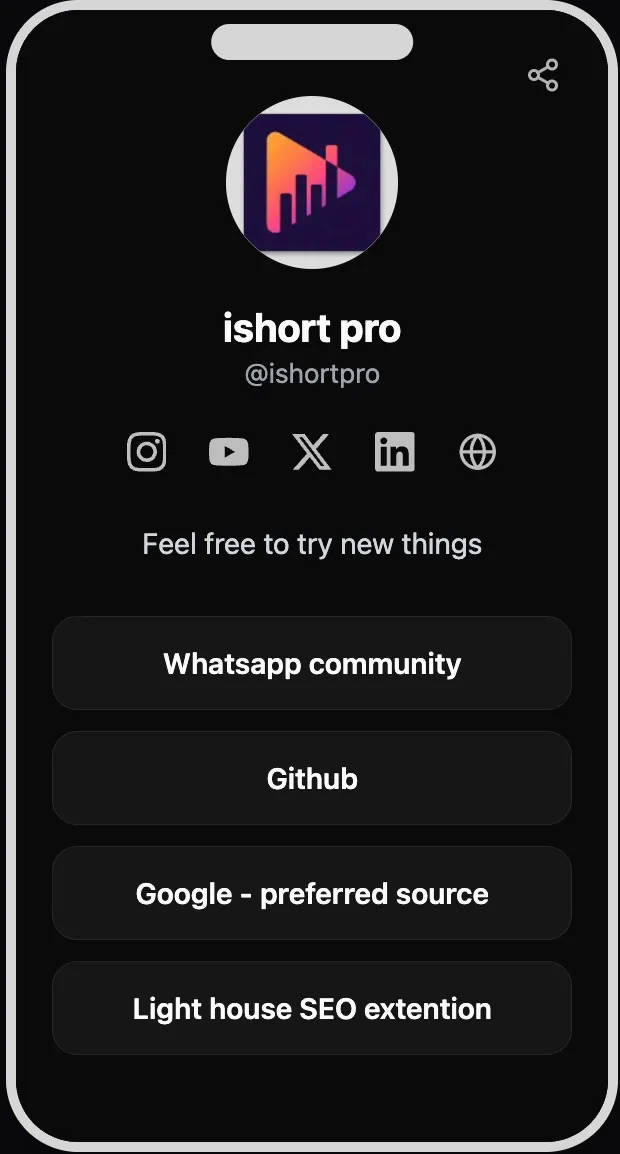
- Your latest drop first. A new video, episode, or Reel at the top, swapped whenever you post. This is your most valuable slot.
- All your platforms. Use the five social icons for Instagram, YouTube, X, LinkedIn, and your personal website so cross-platform followers can find every version of you.
- Shop, merch, or collab links. Point to wherever you already sell or take briefs — your store, a Gumroad, a booking form, a media kit.
- Evergreen favorites. Your best video, a free resource, or a signup for whatever you run off-platform.
See what your followers actually click
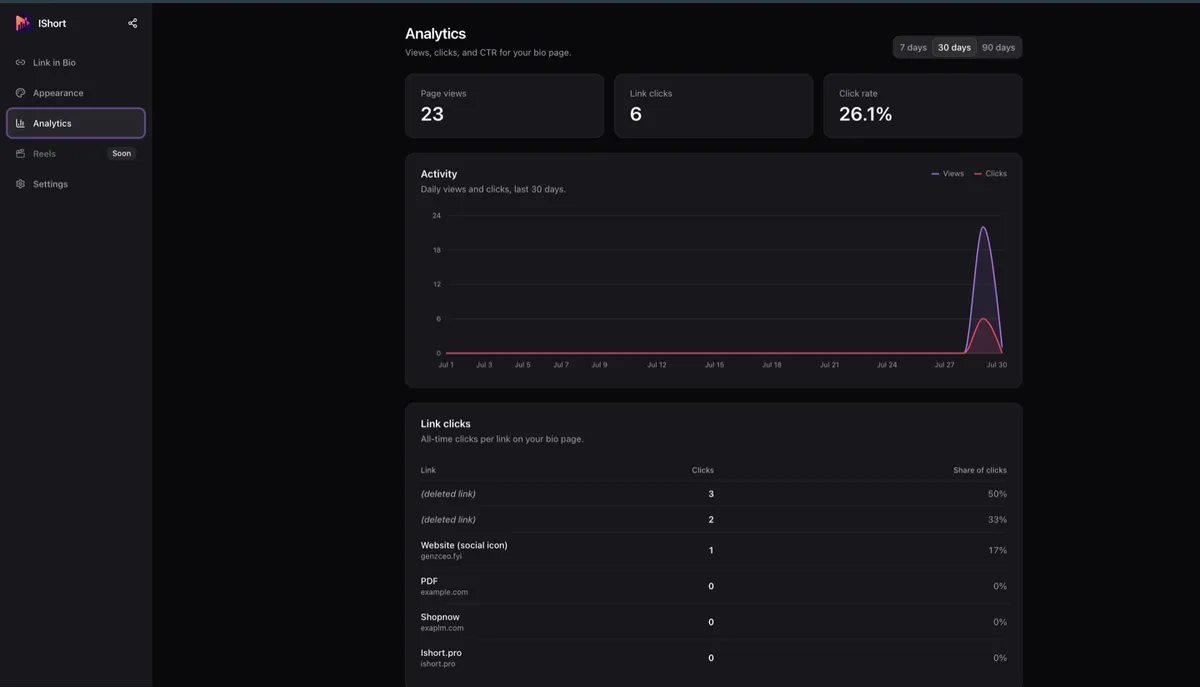
Here's where a creator's bio page earns its keep. Most free link tools show you nothing, or hide click data behind a paid tier. IShort gives you real analytics for free: page views, total link clicks, and your click-rate (CTR), with 7, 30, and 90-day ranges, deltas versus the previous period, and an activity chart. Best of all, a per-link and per-social-icon table tells you which links get tapped and which get ignored.
That turns a static bio into a feedback loop. If your merch link out-clicks your YouTube link, you know where your audience's intent is. If a link you thought mattered gets almost no taps, you can drop it and give the slot to something better. Bot and crawler traffic is filtered out, so the counts reflect real people.
One honest note: the analytics are aggregate counts only. You see how many clicks each link got, not who clicked it, where they are, or what device they used. It's built to show you what's working, not to profile your followers.
Make it look like you
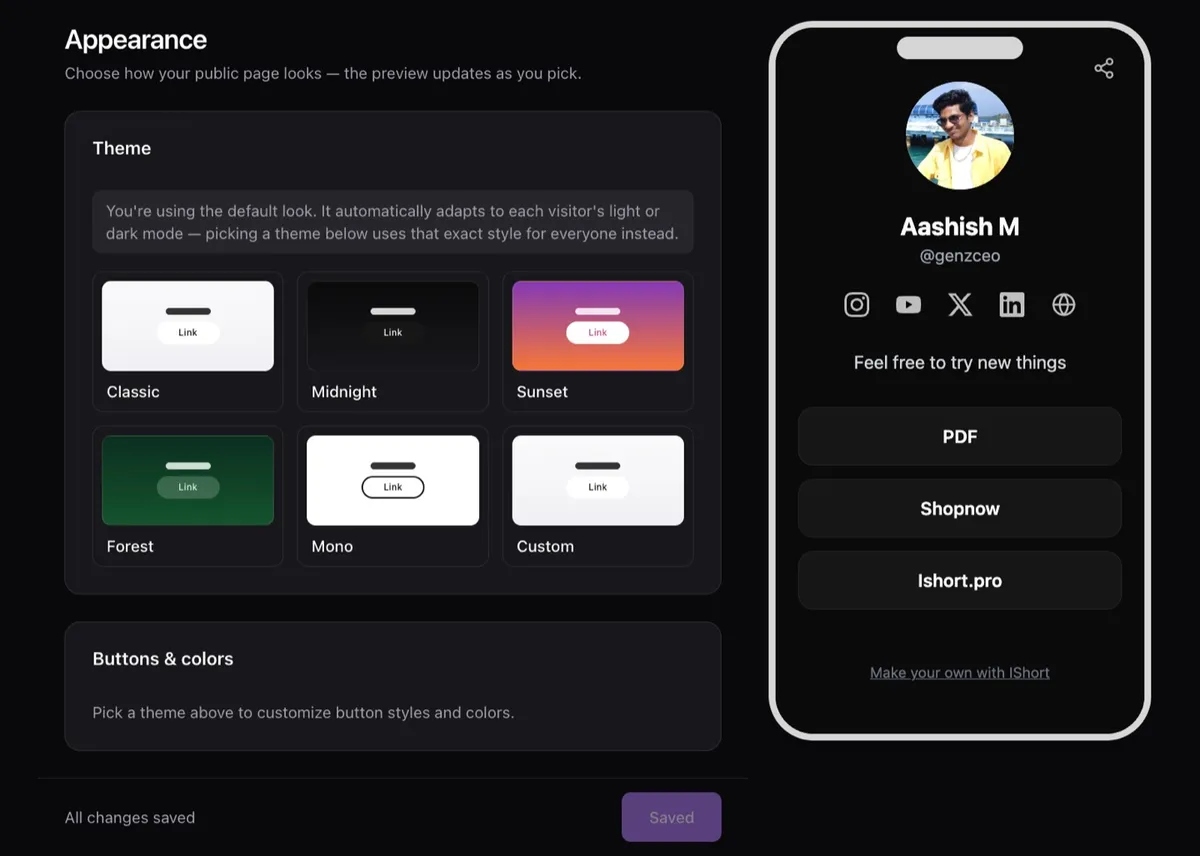
Your bio page is an extension of your brand, so it shouldn't look like everyone else's. Pick from five theme presets — Classic, Midnight, Sunset, Forest, and Mono — or build a Custom theme with hex color pickers to match your palette exactly. You control the button style (solid, outline, or soft) and shape (rounded, curved, or pill). The default look even adapts to each visitor's light or dark mode, so it always feels intentional.
Free means free — nothing skimmed
A lot of creator tools are "free" until you want the feature you actually need, or they take a cut of what you earn. IShort Link in Bio doesn't do either. Every feature above — the 20 links, the themes, the QR code, the click analytics — costs nothing, and IShort never touches your income because it isn't a payment platform. You just add links to wherever you already get paid.
To be clear about what it is not: there's no built-in tipping, checkout, or storefront, and no email capture or link scheduling. If a full creator store is what you need, a tool like Beacons does that — see our honest Beacons alternative comparison. If you want a clean, fast link page with real analytics and zero fees, this is it.
Built by people who study creator content
IShort didn't start as a link tool. It's also an Instagram Reels analytics Chrome extension that helps creators sort their Reels by views and engagement and find their best posting times — so understanding what makes content perform is in the product's DNA. That same instinct is why the bio page ships with click analytics instead of hiding them. A Reels tab is marked "Soon" in the dashboard, hinting at tighter analytics between your content and your links down the road.
Setting up takes about a minute. Sign in with a free Google account, claim your username, add your links, choose a theme, and paste your ishort.pro/you URL into every profile's bio field. If Instagram is your main stage, our guide to a link in bio for Instagram walks through it — and yes, your page works inside the Instagram and TikTok in-app browsers, where a lot of link tools stumble.
Ready to build yours?
Claim ishort.pro/you, add your links, and start seeing what your followers click — all free.
Get your free page →FAQ
Is it free for creators?
Yes. IShort Link in Bio is 100% free, with no plan gating and no fees skimmed from your income. You get up to 20 links, social icons, custom themes, a QR code, and per-link click analytics without paying anything. All you need is a free Google sign-in.
Can I see which links my followers click?
Yes. The built-in analytics show page views, total link clicks, and your click-rate, plus a per-link and per-social-icon table so you can see exactly which links your audience taps. You can view 7, 30, or 90-day ranges with deltas and an activity chart. It counts clicks in aggregate only; it does not identify individual visitors or show their location, device, or referrer.
Can I match my brand colors?
Yes. Pick one of five theme presets (Classic, Midnight, Sunset, Forest, Mono) or build a Custom theme with hex color pickers, then choose your button style (solid, outline, or soft) and shape (rounded, curved, or pill). The default look also adapts to each visitor's light or dark mode.
Can I sell products or take tips through my page?
No. IShort Link in Bio is a links-and-analytics tool, not a storefront or monetization platform. There is no built-in tipping, checkout, or product catalog. You can add links to wherever you already sell or take payment, but the selling itself happens on those platforms, not on your ishort.pro page.
Do I need the IShort Chrome extension to use the link-in-bio page?
No. The link-in-bio page is a separate, standalone tool that works entirely in your browser. The IShort Reels analytics Chrome extension is a different product; you do not need it to create or run your bio page.