
Instagram only lets you add a small handful of plain links to your bio, and links in captions or comments are not tappable for most accounts. Those native bio links can't be branded, ordered into a real page, or measured — you can't see which ones people tap. So if you want followers to reach your latest video, your newsletter, your shop, and your other socials from one tidy place, the fix is simple: point your bio link at a free link-in-bio page that holds all your links together.
Quick answer: Instagram's native bio links are limited and basic. Claim a free ishort.pro/you page, add up to 20 links plus social icons, and paste that one URL into your Instagram bio. It opens all your links, works inside the Instagram in-app browser, and shows you which links your audience actually taps.
Why Instagram only lets you use one link
Instagram's product design keeps profiles clean: the bio holds your name, a short description, and a single tappable link (newer accounts see a small "Links" section, but visitors still see one primary link). Captions and comments strip out clickable URLs for most accounts, so "link in my bio" became the standard call to action. That one slot is valuable real estate — a link-in-bio page turns it into a doorway to everything you publish.
One link that opens all your links
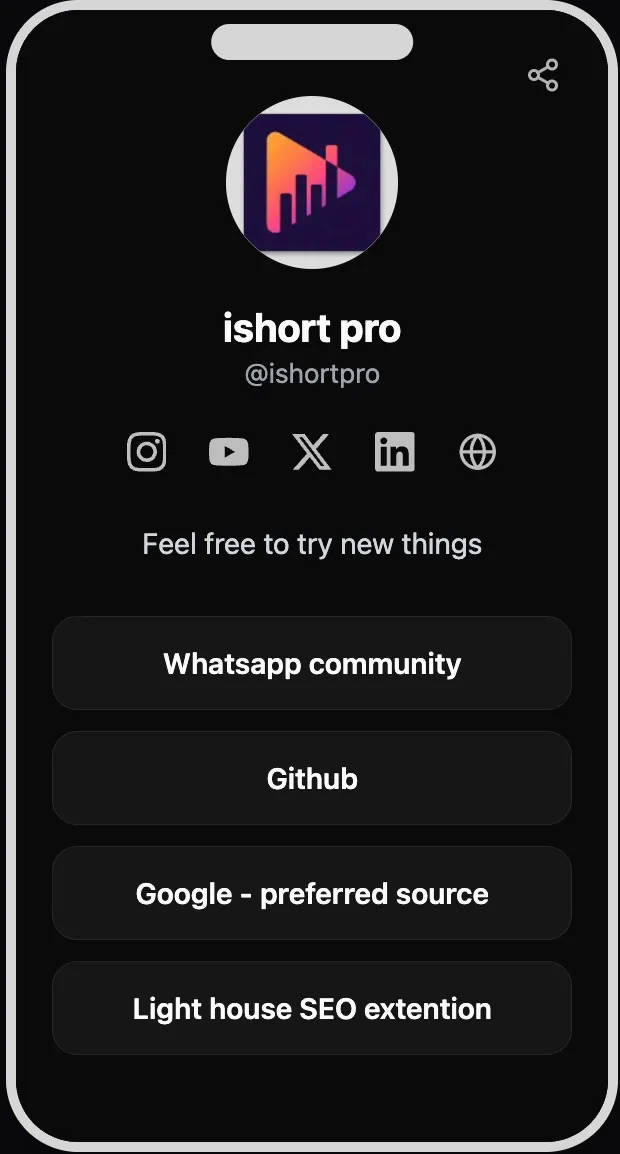
A link-in-bio page is a single mobile-friendly page at your own address — ishort.pro/username — with big, tappable buttons for each destination. On IShort you get up to 20 links (each with a title and URL), plus a row of social icons for Instagram, YouTube, X, LinkedIn, and your personal website. Drag to reorder them, and the whole page adapts to each visitor's light or dark mode automatically.
Create your free link in bio
Claim your ishort.pro/you page in under a minute — free, with click analytics built in.
Get your free page →How to set your Instagram bio link
Once your page is live, adding it to Instagram takes about thirty seconds. Here is the exact path on the mobile app:
- Open the Instagram app and go to your profile, then tap Edit profile.
- Tap Links (older versions call this Website).
- Choose Add external link and paste ishort.pro/yourname.
- Optionally set the display text to something like "All my links", then tap Done and save.
That single link now appears under your bio. Every tap lands on your ishort.pro page, where followers pick where they want to go. For a fuller walkthrough with screenshots, see our step-by-step guide on how to add a link in bio on Instagram. And if you have wondered why links in your captions never seem tappable, that is expected — most accounts cannot use clickable caption links, which is exactly why the bio link matters so much.
Built for the Instagram in-app browser
Here is a detail most tools gloss over: when someone taps a link inside the Instagram app, it usually opens in Instagram's in-app browser, not their default browser. Some pages behave oddly there. Your IShort page is built to work normally inside that in-app browser — links, social icons, and your theme all render correctly, so followers reach their destination without friction. If you ever need to sign in to manage your own page from inside that browser, sign-in falls back to a redirect flow so it still works.
Set the look in the editor
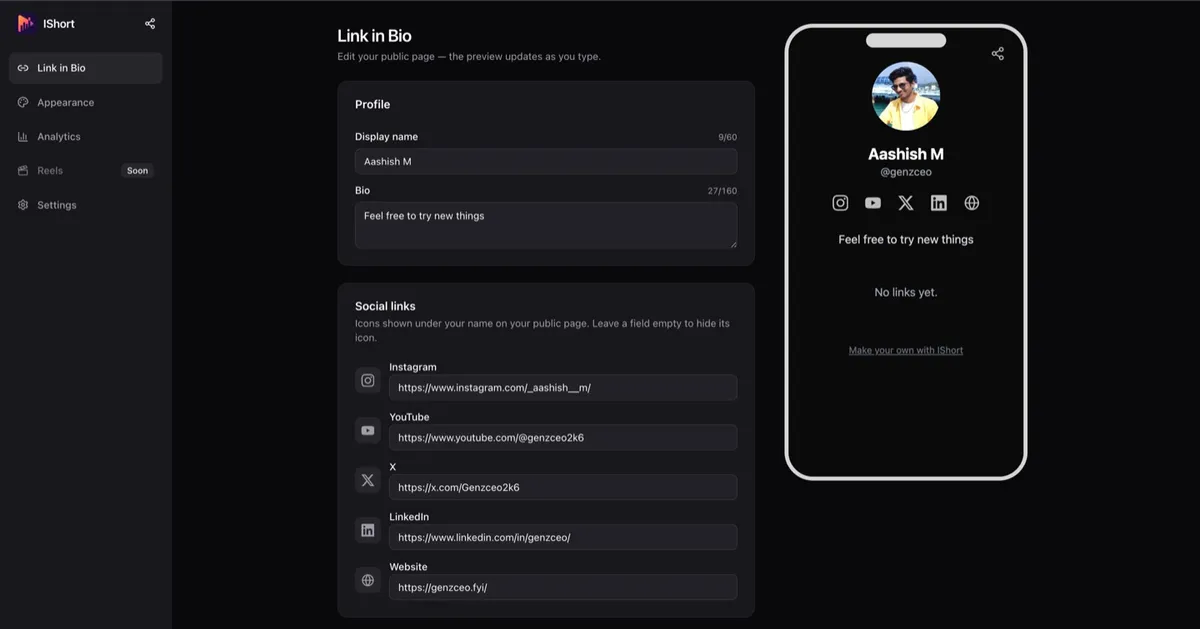
You control everything from a simple editor: your display name, a short bio, an avatar (upload up to 2 MB or reuse your Google photo), your links, and your social icons — all next to a live phone preview so you see exactly what followers will see. Pick from five theme presets or build a custom theme with your own colors and button style.
See which links your IG audience taps
The biggest reason to use IShort instead of a bare bio link is free click analytics. Your dashboard shows page views, total link clicks, and your click-rate (CTR) over 7, 30, or 90-day ranges with change deltas, plus a per-link and per-social-icon table. That tells you what your Instagram audience actually cares about — maybe your YouTube link outperforms your shop three to one — so you can reorder your links around real behavior. Analytics are aggregate counts only (you see totals, not who visited), bot traffic is filtered out, and only you can see your stats. Every part of this is free, so you can compare it to any Linktree alternative and keep more in your pocket.
Share it beyond your bio, too
Your ishort.pro link is not stuck in your Instagram bio. Drop it in your Stories with a link sticker, pin it in your YouTube description, or add it to your TikTok profile so every platform points to the same hub. The dashboard Share dialog also gives you a downloadable QR code — handy for a business card, a pop-up, or an on-screen call to action in a Reel. Edits you make appear to visitors within about a minute, so you can swap your "latest video" link the moment a new one goes live without ever touching your Instagram settings again.
Put one smart link in your bio
Free forever, with per-link click analytics so you know what your Instagram followers tap.
Create your ishort.pro page →FAQ
How do I add a link in bio on Instagram?
Open the Instagram app, go to your profile and tap Edit profile. Tap Links (or Website on older versions), choose Add external link, paste your URL, and save. Your link then shows as a tappable link under your bio text. To hold more than one destination behind that single link, paste your free ishort.pro/you page as the URL.
Can I put multiple links in my Instagram bio?
Instagram only lets you add a small number of link slots and shows one primary tappable link. The reliable way to offer many destinations is to put a single link-in-bio page in your bio. A free ishort.pro/you page can hold up to 20 links plus social icons, so one link opens all of them.
Does it work in the Instagram in-app browser?
Yes. When someone taps your bio link inside the Instagram app, the ishort.pro page opens in Instagram's in-app browser and works normally. Your links, social icons, and theme all render there, and sign-in for the owner falls back to a redirect flow inside that browser.
Is it free?
Yes. IShort Link in Bio is 100 percent free with no plan gating. You get up to 20 links, five social icons, theme presets plus a custom theme, a QR code, and per-link click analytics at no cost. It only needs a free Google sign-in to create and manage your page.