
Quick answer: TikTok gives you effectively one clickable link in your bio. Put a free IShort page there — ishort.pro/you — and it holds all your links: your other videos, every social account, your shop, your newsletter. It's 100% free, works inside TikTok's in-app browser, and shows you free click analytics (including where your traffic comes from) so you can see how much TikTok is really sending you.
TikTok can send an enormous amount of attention your way, but it hands you a stingy amount of room to point that attention anywhere. Your bio gives you a short line of text and — once you're eligible — a single clickable website field. That's it. One link for a whole audience that might want your newest video, your other socials, your merch, and your email list all at once.
The fix is the same one creators use everywhere: a link-in-bio page. Instead of choosing which single URL to feature, you drop one short link into your TikTok bio that opens a tidy page holding all of them. IShort gives you that page for free.
Claim your free TikTok bio link
Get your ishort.pro/you page in under a minute — free, with click analytics built in.
Get your free page →Can you even add a clickable link to your TikTok bio?
This trips up a lot of people, so here's the honest state of it. As of 2026, whether the clickable website field shows up on your TikTok profile depends on your account type:
- Personal / Creator accounts generally need to reach a follower threshold (widely reported as around 1,000 followers) before the clickable website field appears in Edit Profile.
- Business accounts remove that requirement — you can add a website link with any follower count, including a brand-new account. Switching to a Business account is free and reversible (the main trade-off is a more limited "commercial" music library).
TikTok's exact rules change over time, so treat those numbers as the situation as of 2026 and check your own Edit Profile screen. Either way, the field only accepts a single URL, it must start with https://, and it's editable from the mobile app. That single-URL limit is exactly why a link-in-bio page is worth it: you point TikTok's one slot at your IShort page, and your page holds everything else.
How to add your link to your TikTok bio
Once you have your free ishort.pro/you page, adding it takes about a minute in the TikTok mobile app:
- Build your page first: go to the IShort dashboard, sign in with a free Google account, and claim your username (3–24 characters — you can rename it later).
- Add your links and social icons, pick a theme, then copy your full page URL: https://ishort.pro/you.
- Open the TikTok app and tap Profile → Edit profile.
- Tap the Website field and paste your
https://ishort.pro/youlink (if you don't see a Website field yet, see the eligibility note above). - Tap Save. Your link now appears as a tappable button on your TikTok profile.
Bonus: put the same link in your bio text too (as plain text) and mention it in your videos, so people who can't tap it can still find you.
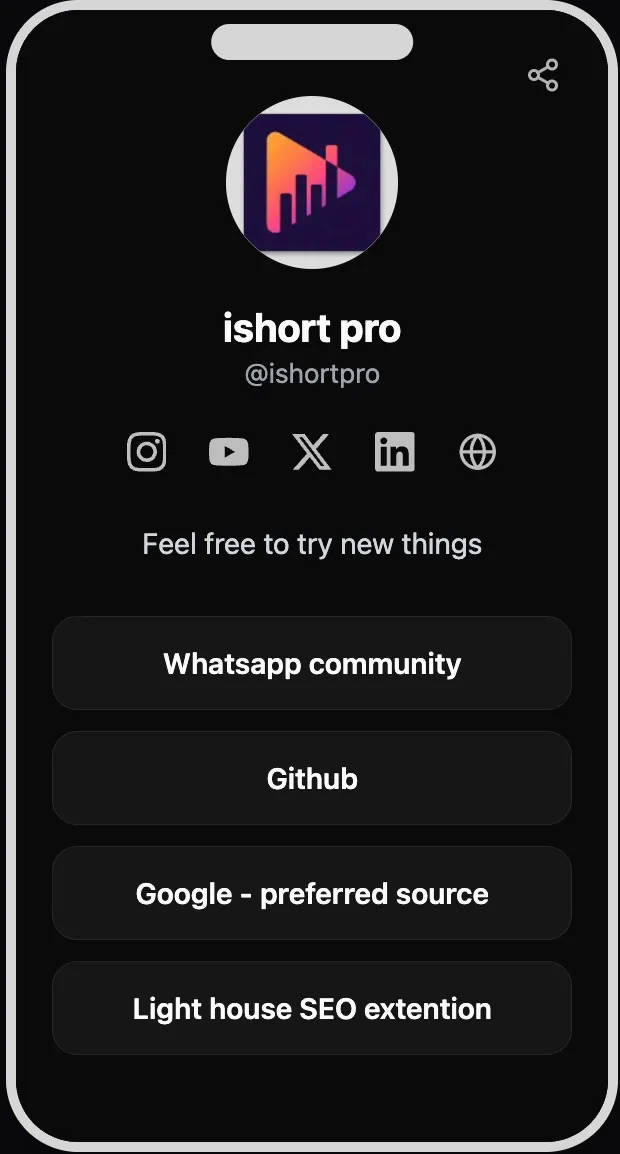
Put all your links on one page
Your IShort page can hold up to 20 links, and you get five social icons for Instagram, YouTube, X, LinkedIn, and your website. A good TikTok bio page usually leads with the thing you want people doing right now:
- Your latest video or series at the top — swap it whenever you post.
- Your other platforms — send TikTok viewers to your Instagram, YouTube, and anywhere else you post, so a follower on one app becomes a follower on all of them.
- Your shop, merch, or booking link — point to wherever you already sell or take work.
- Your email signup — IShort has built-in email capture, so you can turn TikTok traffic into subscribers you actually own, and export them as CSV.
You can add emoji and section headers to keep a longer list organized, and use per-link scheduling to make a launch link appear (or disappear) automatically.
See how much traffic TikTok actually sends you
Here's where a free page beats a plain link. IShort's built-in analytics (visible only to you) show page views, total link clicks, and your click-rate, across 7, 30, and 90-day ranges with deltas versus the previous period and a time-series chart. A per-link and per-social table tells you exactly which buttons get tapped.
Crucially, the traffic sources and countries views let you see how much of your traffic is coming from TikTok versus your other platforms. If TikTok is driving most of your clicks, you'll know to feed it more. If a video sends a spike, you'll see it. Bot and crawler traffic is filtered out, so the counts reflect real people — and the analytics are aggregate only, so you never see individual visitors.
It works inside TikTok's in-app browser
When someone taps a bio link on TikTok, the page opens in TikTok's own in-app browser, not their normal browser — and that's where a lot of link tools stumble or load slowly. IShort pages are server-rendered and tiny (~15KB), with no cookies or trackers, so they load fast and render correctly inside the TikTok (and Instagram) in-app browser. You can even sign in to the dashboard from inside the app if you need to.
For offline moments — an event, a pop-up, a business card, a slide at the end of a video — you can generate a 1024px QR code (PNG) that opens your page when scanned.
Ready to fix your TikTok bio link?
Claim ishort.pro/you, add your links, and see how much traffic TikTok sends — all free.
Get your free page →FAQ
How many links can you put in a TikTok bio?
TikTok's bio has room for one clickable website link (once your account is eligible). You cannot stack multiple clickable URLs directly in the bio field. The standard workaround is a link-in-bio page: you put one link — your ishort.pro/you page — in the bio, and that page holds up to 20 links plus your social icons.
How do I add a link to my TikTok bio?
Open the TikTok mobile app, go to Profile → Edit profile, tap the Website field, and paste your link (it must start with https://), then tap Save. As of 2026, the clickable Website field is available on Business accounts with any follower count, and on Personal/Creator accounts that meet TikTok's follower threshold (commonly reported around 1,000 followers). If you don't see the field yet, you can still paste your link as plain bio text.
Does IShort work inside the TikTok app?
Yes. IShort bio pages are server-rendered and lightweight (~15KB) with no cookies or trackers, so they load quickly and display correctly inside TikTok's in-app browser, where many link tools load slowly. You can also sign in to the dashboard from within the in-app browser.
Is it free?
Yes — 100% free. You get up to 20 links, social icons, five themes plus custom colors, email capture with CSV export, a QR code, and click analytics (including traffic sources and countries) without paying anything. All you need is a free Google sign-in.